> For the complete documentation index, see [llms.txt](https://docs.discloud.com/llms.txt). Markdown versions of documentation pages are available by appending `.md` to page URLs; this page is available as [Markdown](https://docs.discloud.com/en/how-to-host-using/dashboard.md).
# Dashboard
Learn how to quickly and easily host your application using the Dashboard.
## 📁 Preparing Your Project Files
Before uploading your project, ensure that your **files are correctly structured** according to the programming language you're using. Different languages have specific requirements for dependency management, project structure, and necessary files.
{% content-ref url="/pages/yXeM3VgmbvtYCXNrdoCY" %}
[Supported Languages](/en/development-environment/supported-languages.md)
{% endcontent-ref %}
### 📌 **Basic Requirements**
* **Project Source Code** – All the necessary files for your application to run.
* **Configuration File (**[**`discloud.config`**](/en/configurations/discloud.config.md)**)** – Required for deployment settings.
* **Dependencies File** (if applicable):
* [`package.json`](/en/development-environment/supported-languages/javascript/package-json.md) for [**Node.js**](/en/development-environment/local-environment/nodejs.md)
* [`requirements.txt`](/en/development-environment/supported-languages/python/requirements.txt.md) for [**Python**](/en/development-environment/local-environment/python.md)
* [`Cargo.toml`](/en/development-environment/supported-languages/rust/cargo.toml.md) for [**Rust**](/en/development-environment/local-environment/rust.md)
* [`Gemfile`](/en/development-environment/supported-languages/ruby/gemfile.md) for [**Ruby**](/en/development-environment/local-environment/ruby.md)
### **🗑️** Excluding Unnecessary Files
To **optimize your deployment**, make sure to **remove unnecessary files** before compressing your project into a `.zip` file.
#### ❌ Common files and folders to exclude:
```diff
- node_modules
- venv
- .git
- .DS_Store
- __pycache__
```
> For detailed information on required files and appropriate configurations, refer to the [**documentation of the language**](/en/development-environment/supported-languages.md) you are using for your project.
***
## 🔑 Authentication – Logging into your Dashboard
Before deploying your app, you need to **log into Discloud**:
{% stepper %}
{% step %}
Visit the [Discloud](https://discloud.com/).
{% endstep %}
{% step %}
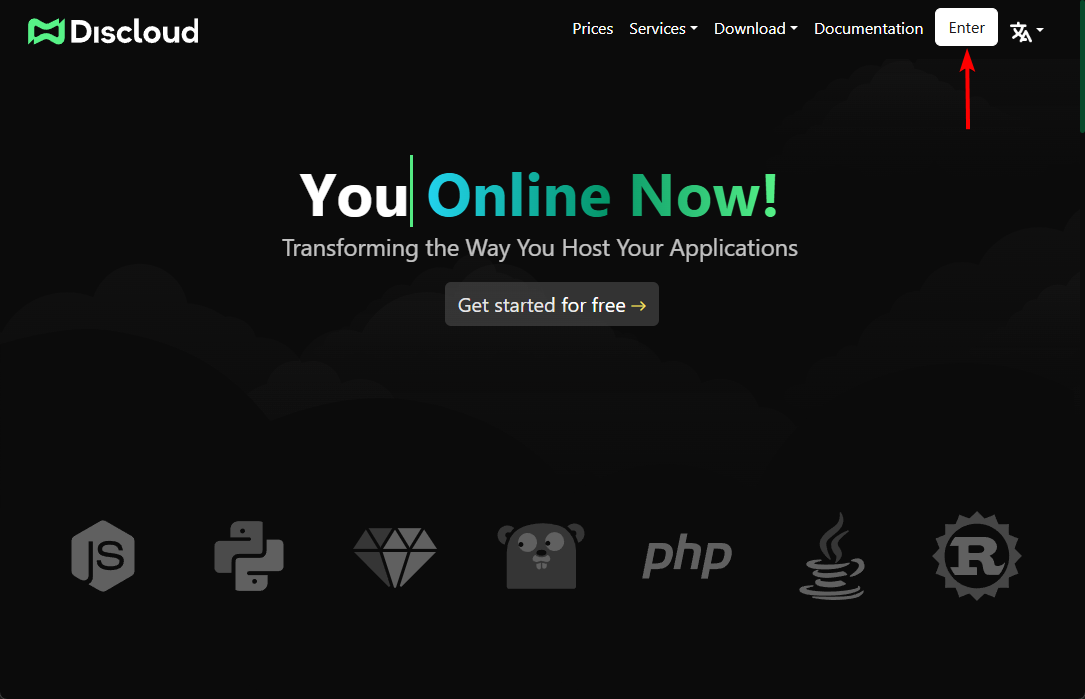
Click **"Enter"** and log in.
Access the Dashboard if you are already logged in.

{% endstep %}
{% endstepper %}
***
## 🚀 Uploading Your Application
Once your files are ready, follow these steps to upload and deploy your app.
{% stepper %}
{% step %}
Compressing Your Project.
Before uploading, **compress your entire project** into a [`.zip`](/en/faq/general-questions/how-to-compress.md) file.
{% endstep %}
{% step %}
Uploading to the Dashboard.
{% stepper %}
{% step %}
Go to the [**Applications** page](https://discloud.com/dashboard) in the Discloud Dashboard.
{% endstep %}
{% step %}
Click **+ Upload** (top-right corner). You will be taken to the [**Create application** page](https://discloud.com/dashboard/app/create).
{% endstep %}
{% step %}
Select **Upload ZIP** as the deploy type, then drag your `.zip` file into the drop zone or click to select it.
{% endstep %}
{% step %}
Wait for the upload to complete.
{% endstep %}
{% endstepper %}
{% hint style="warning" %}
During the upload, avoid refreshing the page to prevent any issues with your application. If this happens, you might need to remove the application and repeat the upload process.
{% endhint %}
{% endstep %}
{% step %}
Deployment Process.
* Once uploaded, Discloud will **automatically start your application**.
* If your project is correctly configured and doesn’t exceed the **RAM limit**, it should be online within seconds.
* You can check its status via the Dashboard.
{% endstep %}
{% endstepper %}
***
## **❓ Still need help?**
Check the [**FAQ Section**](/en/faq/where-to-get-help.md) or join our [**Discord Server**](https://discord.discloudbot.com/) for support.