> For the complete documentation index, see [llms.txt](https://docs.discloud.com/llms.txt). Markdown versions of documentation pages are available by appending `.md` to page URLs; this page is available as [Markdown](https://docs.discloud.com/api-and-integrations/github-integration.md).
# Integração com GitHub
Conecte seu repositório GitHub à Discloud e faça deploy direto do seu código.
### 🧭 Visão Geral
A **Integração com GitHub** permite que você faça deploy de aplicações diretamente de um repositório GitHub para a Discloud, sem necessidade de enviar ZIPs manualmente. A Discloud puxa o código do seu repositório, lê o [`discloud.config`](/configurations/discloud.config.md) na raiz e compila e inicia sua aplicação automaticamente.
Este é o fluxo recomendado para equipes e para quem usa controle de versão como parte do processo de desenvolvimento.
***
### ✅ Pré-requisitos
Antes de conectar o GitHub, certifique-se de que o seguinte está em ordem:
{% hint style="success" %}
[**`discloud.config`**](/configurations/discloud.config.md) **na raiz** - Este arquivo deve existir na raiz do seu repositório. Sem ele, o upload falhará na validação. Saiba mais sobre a raiz do projeto.
{% endhint %}
{% hint style="danger" %}
**Nunca faça commit de arquivos** [**`.env`**](/faq/general-questions/.env-file.md) - Seu arquivo `.env` deve estar listado no `.gitignore`. Os segredos de produção são definidos diretamente na Discloud durante o passo de upload, não através do repositório.
{% endhint %}
***
### 🔗 Conecte sua conta GitHub
{% stepper %}
{% step %}
**🔑 Abra a Integração GitHub**
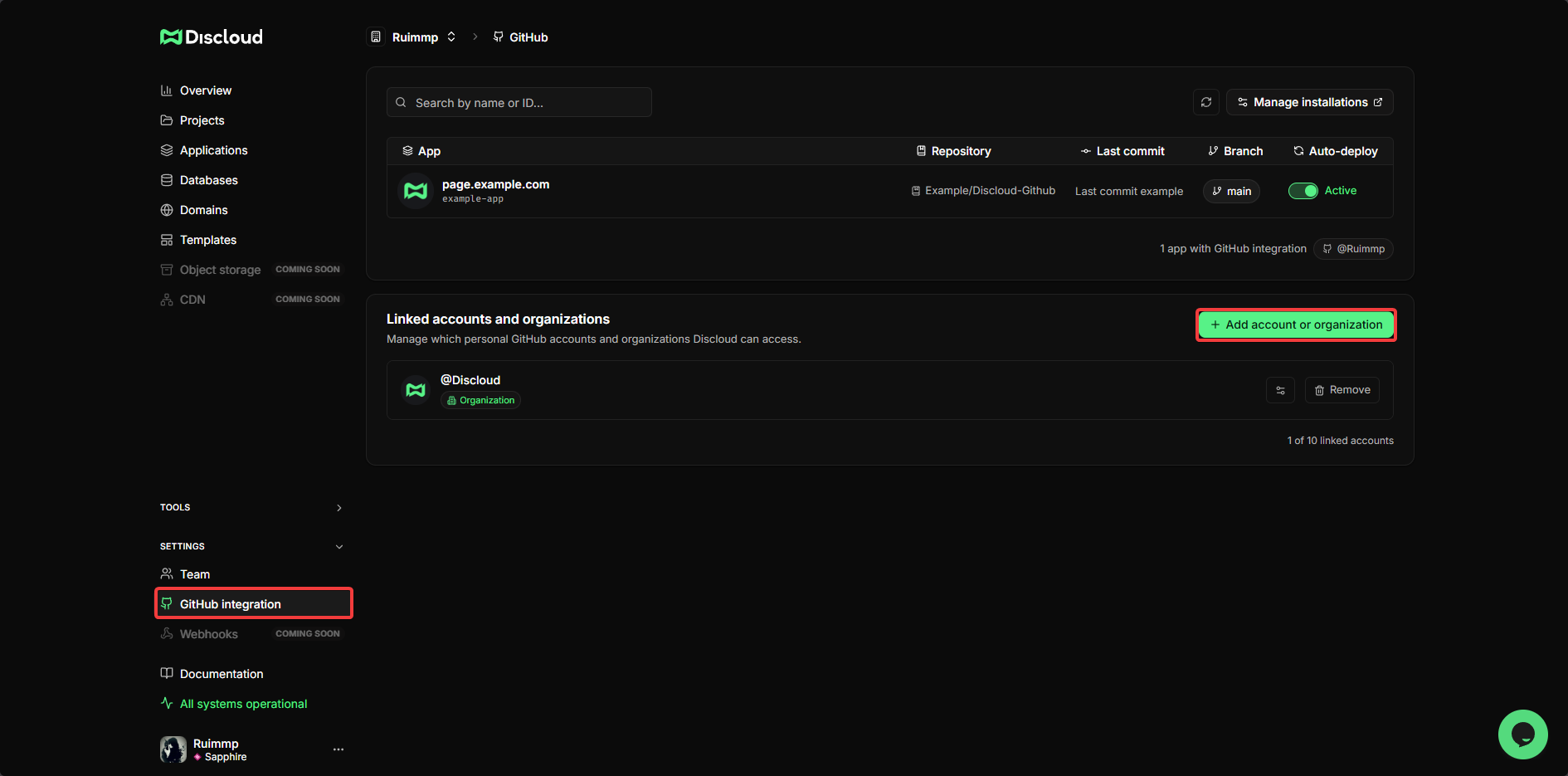
No [Painel da Discloud](https://discloud.com/dashboard), expanda **Configurações** na barra lateral esquerda e clique em [**Integração com GitHub**](https://discloud.com/dashboard/github).
Clique em **+ Adicionar conta ou organização** e siga o fluxo de OAuth do GitHub para autorizar a Discloud. Isso permite que a Discloud leia seus repositórios.
{% endstep %}
{% step %}
**⚙️ Configure o acesso ao repositório**
Após autorizar, as contas e organizações conectadas aparecem na página de integração GitHub. Para gerenciar quais repositórios a Discloud pode acessar, clique em **Gerenciar instalações** (canto superior direito), isso abre as configurações do App GitHub diretamente, onde você pode escolher:
* 🔓 **Todos os repositórios** - A Discloud pode acessar todos os repositórios da sua conta
* 🔒 **Repositórios selecionados** - Escolha apenas os repositórios específicos que deseja fazer deploy
{% hint style="info" %}
Você pode alterar isso a qualquer momento voltando para **Configurações > Integração com GitHub** e clicando em **Gerenciar instalações** novamente, ou gerenciando o App GitHub da Discloud diretamente nas configurações da sua conta GitHub.
{% endhint %}
{% endstep %}
{% endstepper %}
***
### 🚀 Faça deploy pelo GitHub
{% stepper %}
{% step %}
**🚀 Inicie um novo upload**
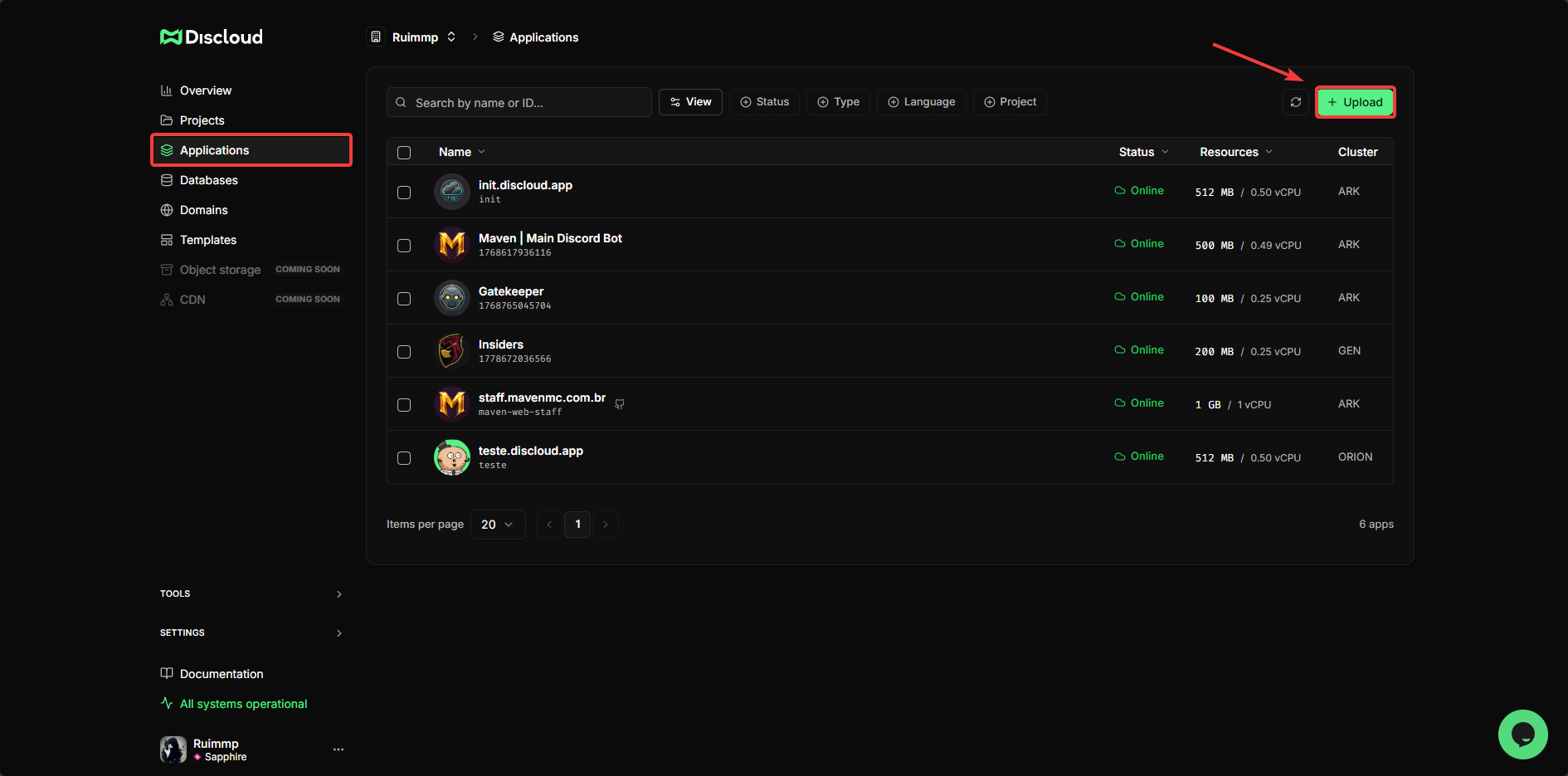
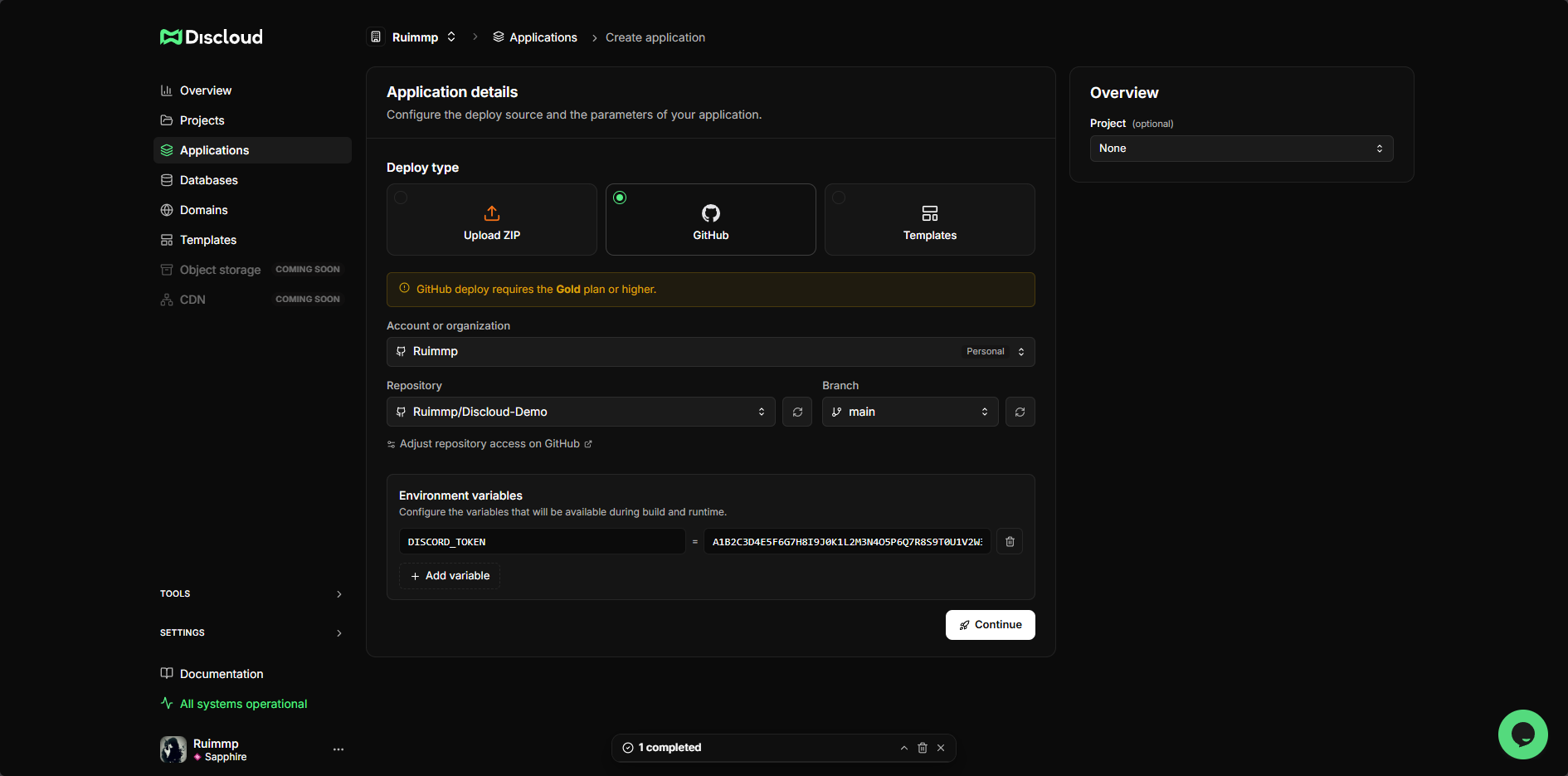
Acesse a página **Aplicações** no [Painel da Discloud](https://discloud.com/dashboard), clique em **+ Upload** (canto superior direito) e selecione **GitHub** como tipo de deploy.
{% endstep %}
{% step %}
**🛠️ Configure o seu deploy**
**Repositório e branch** - Escolha o repositório e a branch da qual deseja fazer deploy. A Discloud vai puxar o commit mais recente dessa branch.
**Variáveis de ambiente** - Adicione os segredos de produção pelos campos `NAME` / `value.`
{% hint style="danger" %}
**Este é o único lugar para definir segredos de produção.** Arquivos `.env` não devem ser commitados no GitHub. A Discloud armazena esses valores com segurança e gera um arquivo `.env` na raiz da sua aplicação em tempo de execução, mantendo-os completamente fora do repositório.
{% endhint %}
{% hint style="warning" %}
Se você esquecer de adicionar uma variável aqui, sua aplicação vai iniciar sem ela e pode travar ou se comportar de forma incorreta. Para atualizar as variáveis de ambiente depois, você pode editá-las diretamente no painel caso tenha um plano pago. Caso contrário, será necessário fazer um novo commit com o conteúdo completo e atualizado do `.env`.
{% endhint %}
{% endstep %}
{% step %}
**✅ Confirme e faça o deploy**
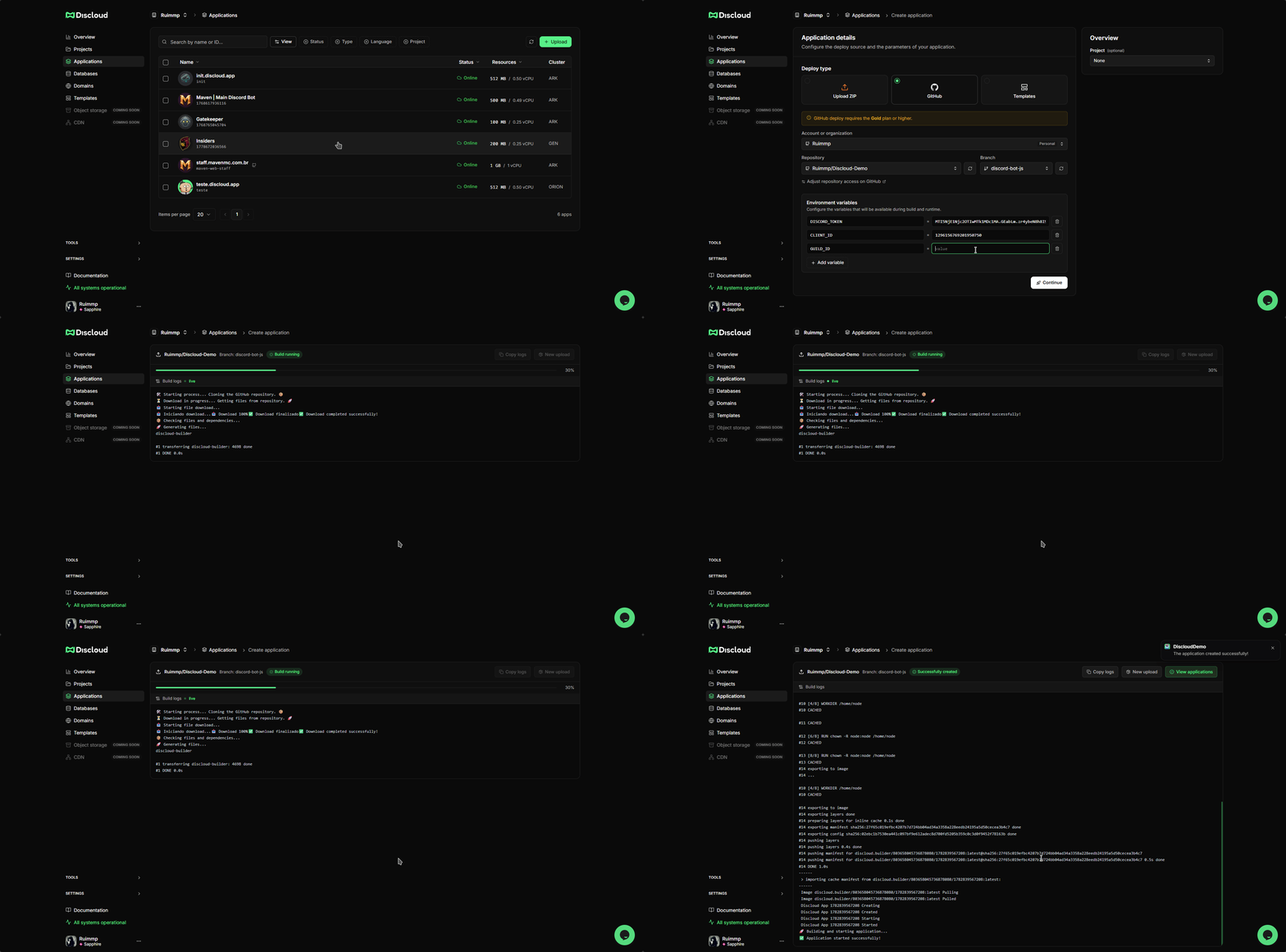
Revise suas configurações e clique em **Continuar**. A Discloud irá:
1. Puxar o código do repositório e branch selecionados
2. Validar seu `discloud.config`
3. Instalar dependências e executar o comando de build (se configurado)
4. Iniciar sua aplicação
{% endstep %}
{% endstepper %}
***
### 🔁 Atualizando sua aplicação
A Discloud faz o redeploy da sua aplicação automaticamente sempre que você fizer push de novos commits na branch configurada durante o upload inicial. Nenhuma ação manual é necessária.